> ## Documentation Index
> Fetch the complete documentation index at: https://hexprep.mintlify.site/llms.txt
> Use this file to discover all available pages before exploring further.
# Units
The amount of inventory that is currently checked-in at our warehouse. You can filter out by fulfillment types and view inventory that is damaged by the retailer or carrier.
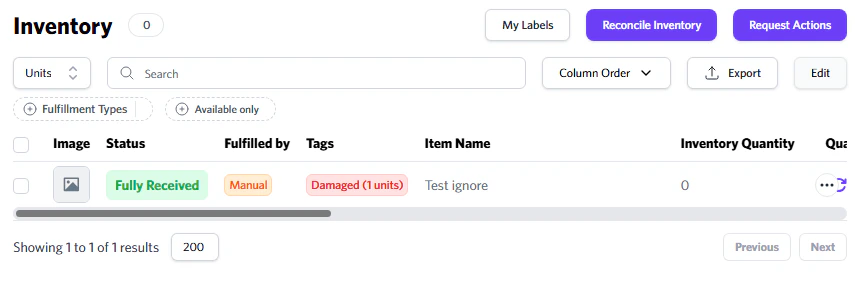 You can request pictures or disposal **using** the 'Request Actions' button for damaged inventory. You can also select the **SKUs** you **want** outbounded and then click 'Shipment'.
# Request Outbound
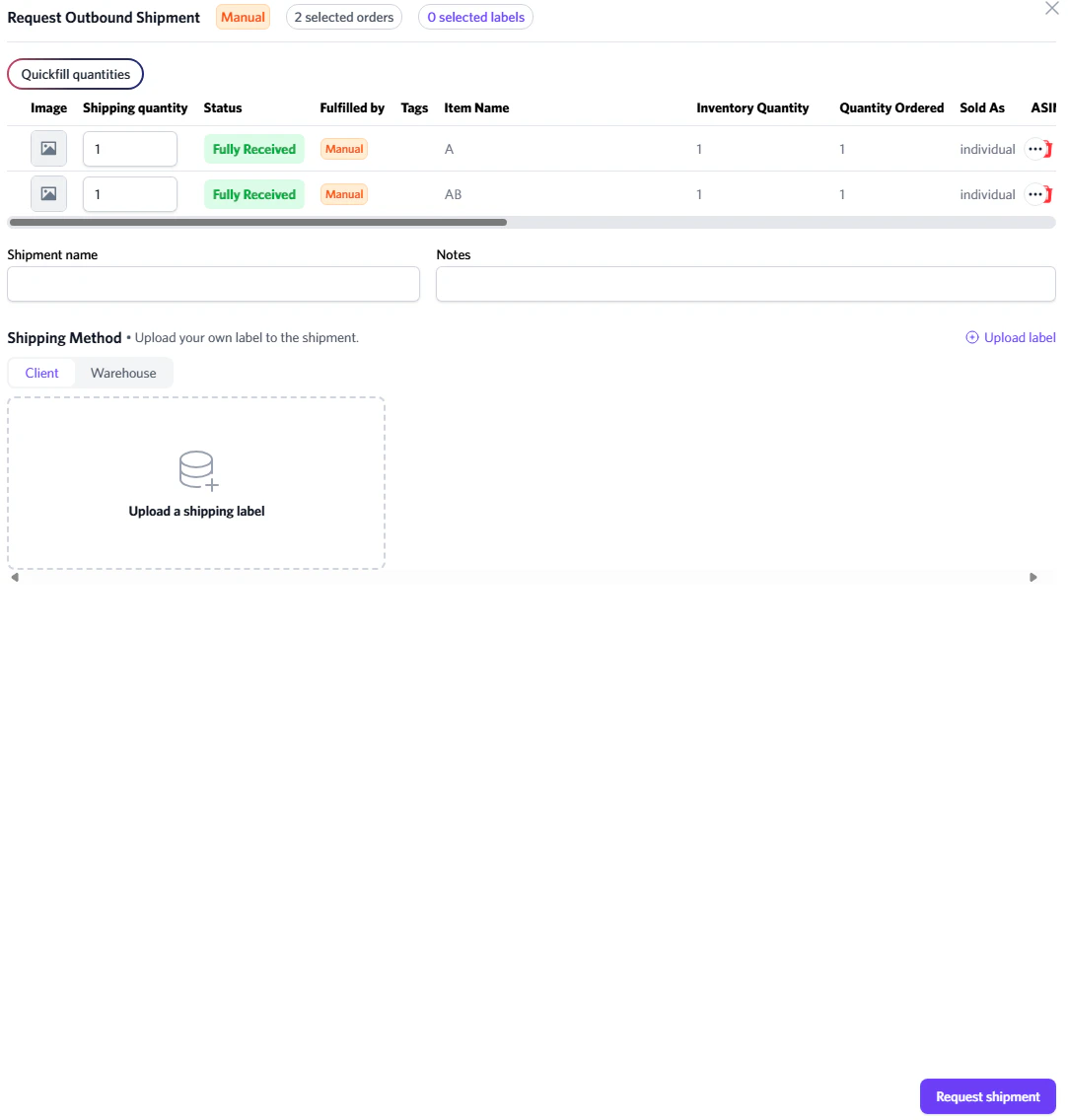
You can instruct our team to begin shipping out your inventory. This is mainly for clients who have **the** 'On Client Request' option enabled, or for whenever you are ready for us to ship your items.
You can request pictures or disposal **using** the 'Request Actions' button for damaged inventory. You can also select the **SKUs** you **want** outbounded and then click 'Shipment'.
# Request Outbound
You can instruct our team to begin shipping out your inventory. This is mainly for clients who have **the** 'On Client Request' option enabled, or for whenever you are ready for us to ship your items.
 # Requesting Optimized Outbound
If you want your shipment to use **Optimized Shipping**, be sure to include **"Optimized Shipping"** in the shipment name. If it's not included, optimized shipping will not be applied.
# Requesting Optimized Outbound
If you want your shipment to use **Optimized Shipping**, be sure to include **"Optimized Shipping"** in the shipment name. If it's not included, optimized shipping will not be applied.
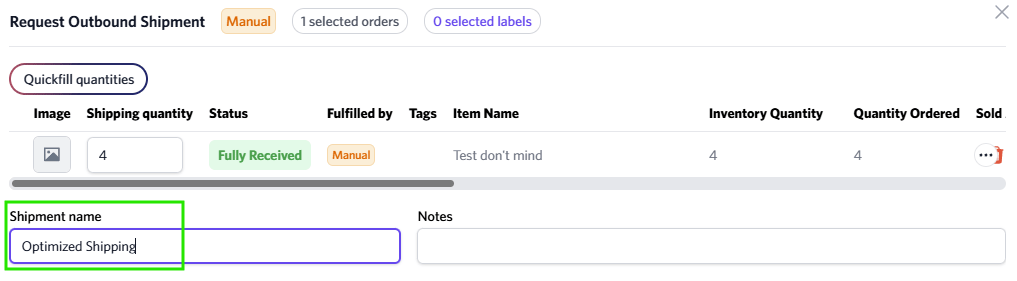 Units must be equal to **5** for optimized shipping.
To avoid our storage fees, ensure you request an outbound before 14 days.
Units must be equal to **5** for optimized shipping.
To avoid our storage fees, ensure you request an outbound before 14 days.