
Bundles
A bundle is a sellable product composed of multiple individual components. Here is a quick breakdown of how they function:- Automatic Creation: Bundles are formed automatically once all required child components are in stock in matching quantities.
- Inventory Consumption: When a bundle is created, the system automatically consumes the individual child items.
- Restoring Components: If a bundle is broken (uncheck-in), the child inventory is safely restored to your stock.
- Dashboard Quantities: The numbers displayed on your dashboard represent the physical units of the components rather than the finished, sellable bundles.
Bundle Example
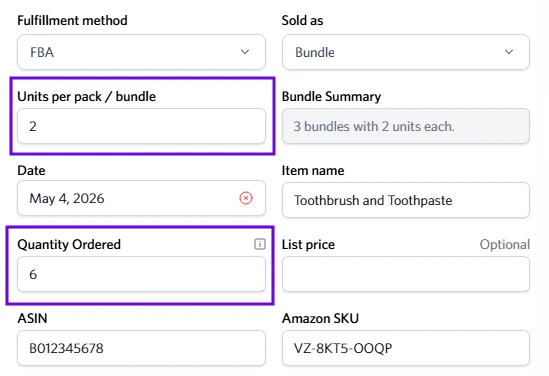
The quantity ordered is the total amount of units for the bundle.
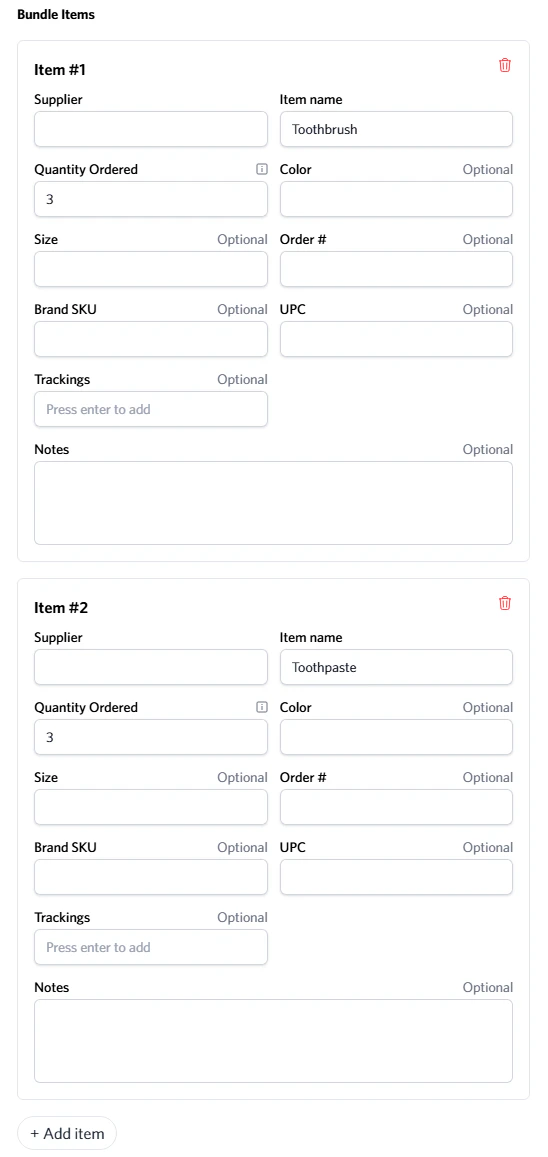
The quantity must be even to create a complete bundle. Please avoid creating uneven bundle inbounds.
Multi-packs
A multi-pack is a single sellable unit that contains two or more identical items grouped together and sold under one SKU (e.g., a “pack of 5” toothbrushes).Multi-pack Example
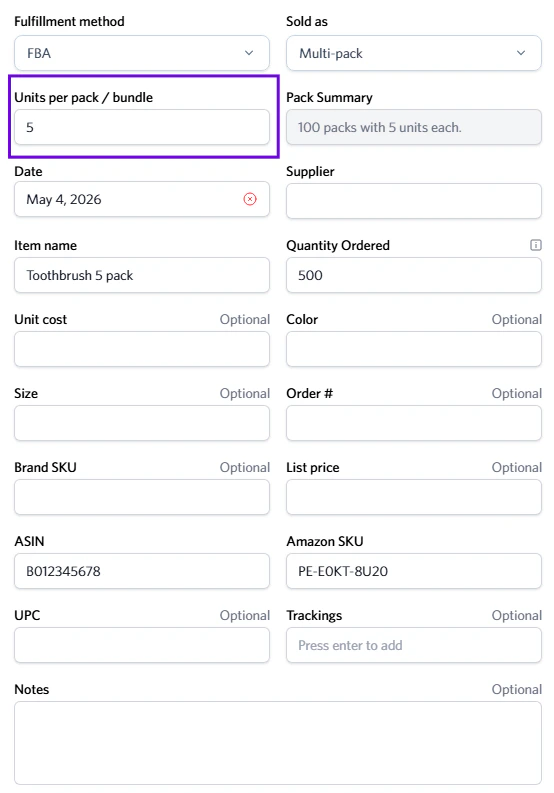
You must enter the total quantity ordered as mentioned before.